


🎛️ Headless QLC+ on a Raspberry Pi. Friendlier face, fewer surprises.
An open source setup and control toolkit that turns a Raspberry Pi plus an ENTTEC DMX USB Pro into a network-controllable lighting rig anyone in the room can use.
🚀 What is Lights Pi?
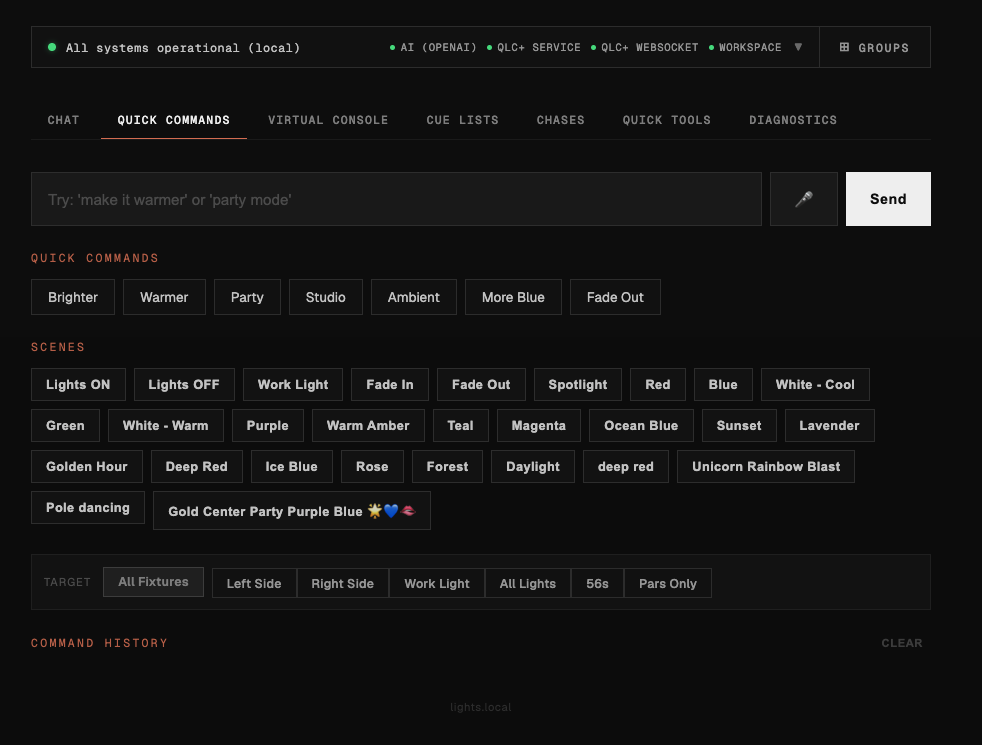
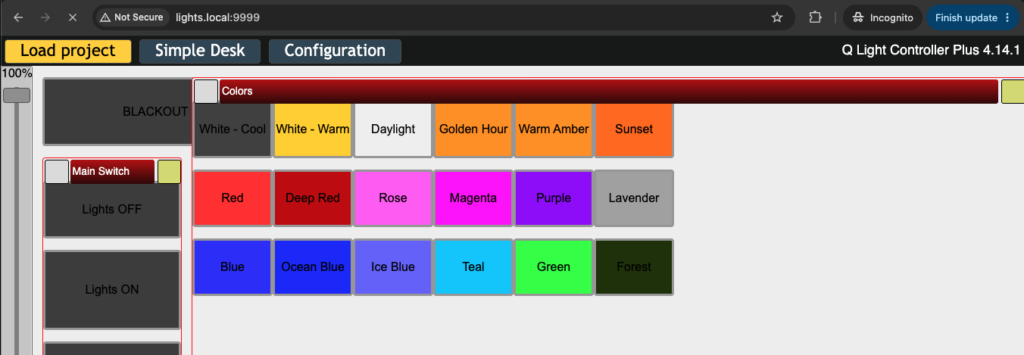
Lights Pi is what I built when I wanted a studio where anyone could change the lighting. Not just whoever happened to know QLC+. QLC+ is a fantastic open source DMX engine, but its UI is built for designers, not for the teacher or guest presenter who just wants a discussion look instead of a lecture look. Lights Pi wraps QLC+ on a Raspberry Pi with the things that make a headless DMX controller actually pleasant to use: one-command provisioning, sane defaults, a friendly landing page, fixture groups, AI scene generation, and a natural-language control panel.
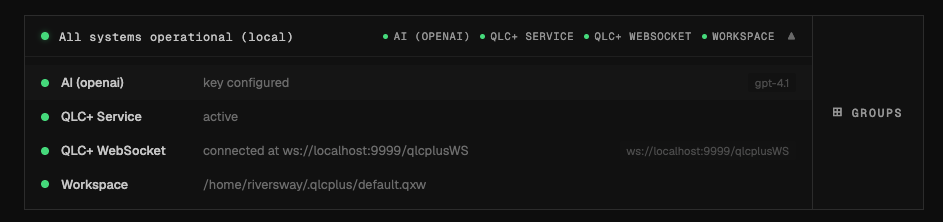
The Pi runs QLC+ headless. You and everyone else on the WiFi control it from a browser or phone. The toolkit handles the boring parts: SSL with mkcert so there are no browser warnings, a WiFi watchdog so the Pi doesn’t ghost you, a udev rule so the ENTTEC always lands at /dev/dmx0, and a doctor command that tells you exactly what’s wrong when something is.
✨ Key Capabilities
🛠️ One-Command Provisioning
- Flash a stock Raspberry Pi OS Lite image, then run
setup-fullto install QLC+, register the systemd service, configure dual WiFi, and harden the Pi - Pi 3 and Pi 4 supported, with automatic performance tuning on Pi 3 (GPU memory drop, Bluetooth off, performance CPU governor)
- One-command HTTPS via mkcert:
https://lights.local/with no browser warnings
🎚️ Friendly Control Surfaces
- A branded landing page at the root of the Pi with a single button to QLC+’s web UI, so the link you share looks like a product, not a port number
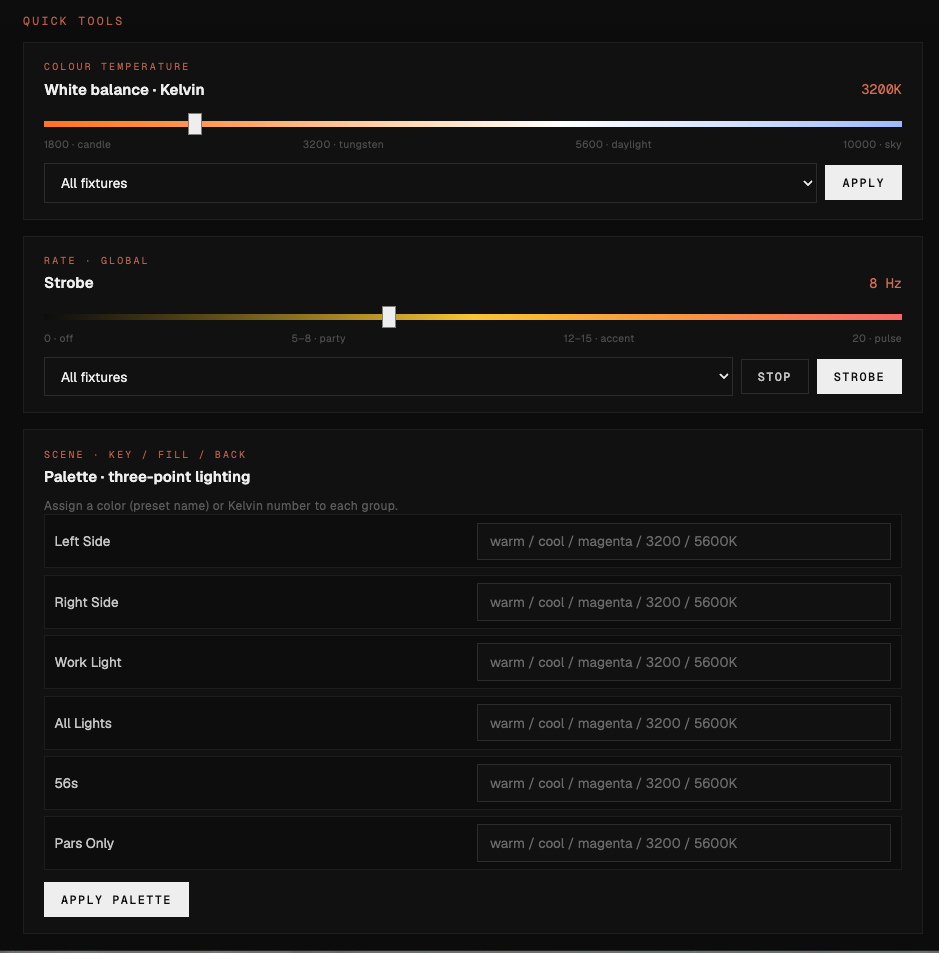
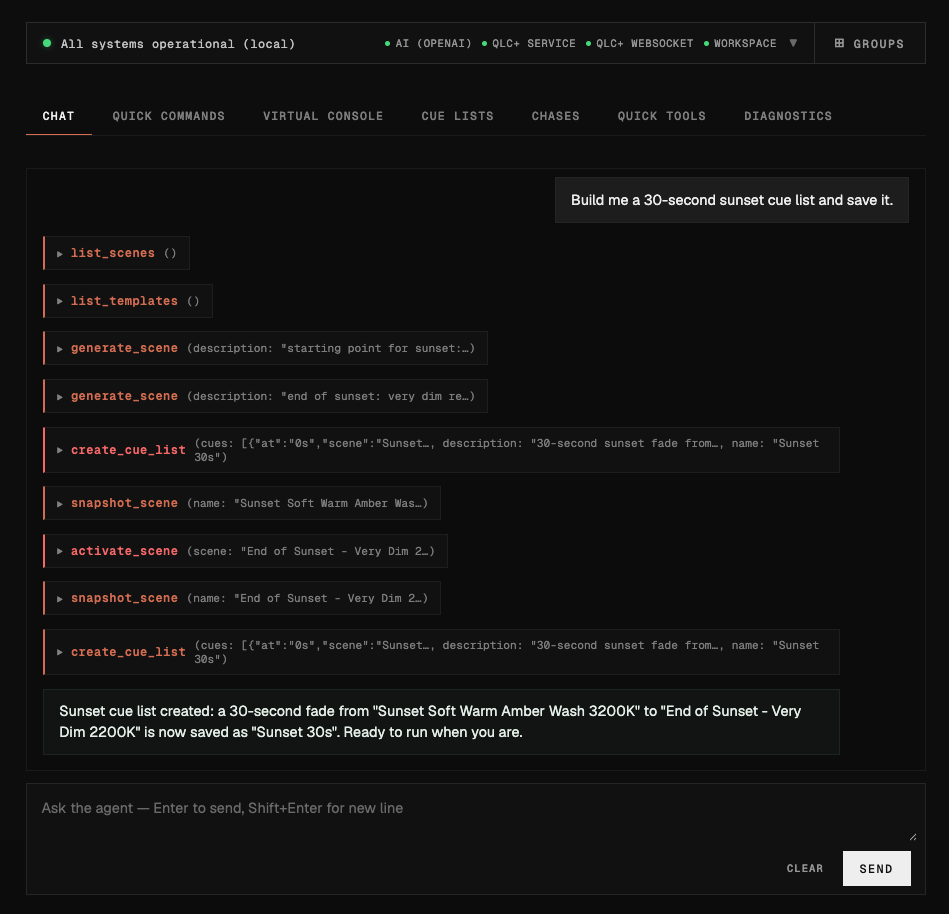
- A natural-language control server: type “make it warmer” or “fade to black over 5 seconds” from a phone or laptop
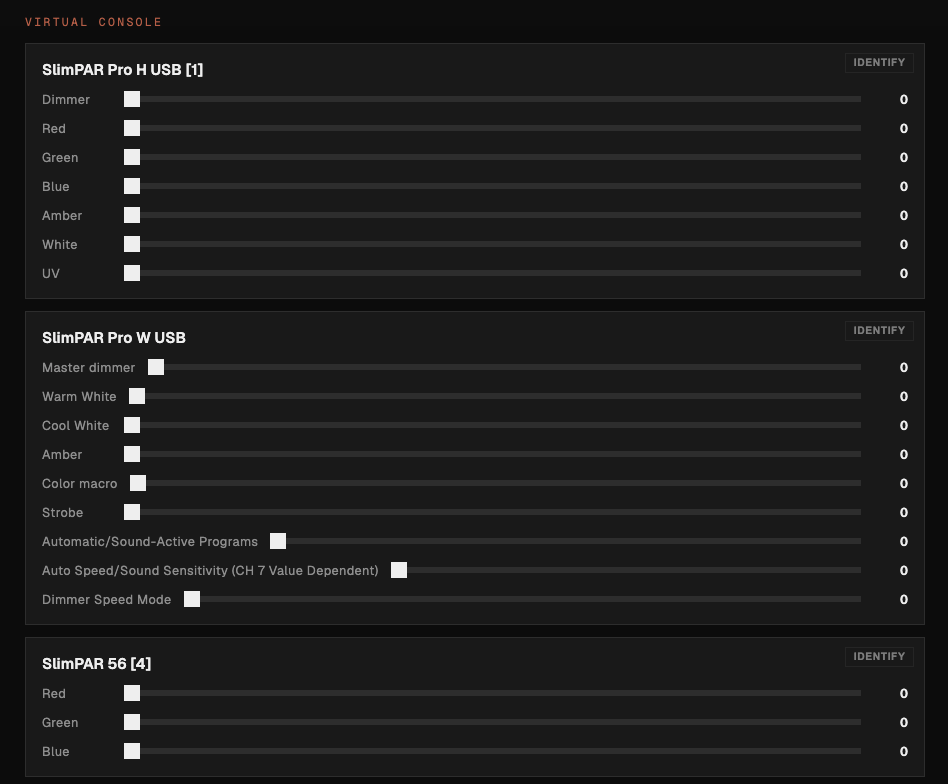
- Fixture groups (key-lights, fill-lights, stage-left) that round-trip into the QLC+ workspace XML
🤖 AI Scene Generation (Beta)
- Generate QLC+ scenes from prompts like “warm sunset ambiance” or “dramatic spotlight”
- Pluggable providers: Anthropic, OpenAI, or local Ollama for fully offline operation
- Curated templates for common looks (youtube-studio, party, ambient, warm-white, cool-white) that ship without any AI in the loop
- Generate variations and pick interactively, or scope generation to a single fixture group
🛡️ The Boring Reliability Stuff
- WiFi watchdog: a systemd timer that reconnects every two minutes if the Pi loses the gateway, and restarts NetworkManager after repeated failures
- Hardware watchdog enabled by
harden, so a kernel hang auto-reboots - UFW firewall, unattended security upgrades, SSH key-only login
- One-command backups and restores of the full QLC+ config
🔍 Diagnostics That Tell You What’s Wrong
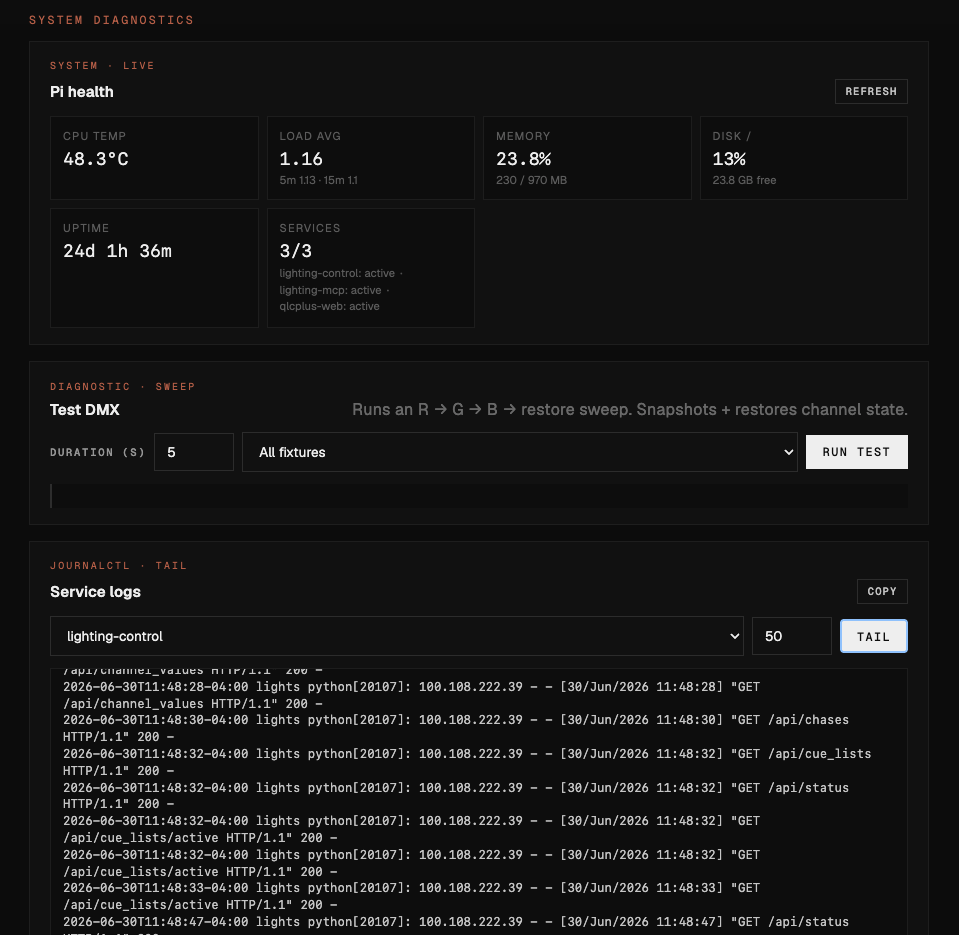
doctorfor a full health check with recommendations,validatefor pre-flight,healthfor a quick service-and-USB-and-temperature green-or-redtest-dmxverifies the ENTTEC is detected and the DMX output line is livewifi-test,wifi-diagnose, andscanfor when mDNS gives up
🎯 Who It’s For
- Classroom and teaching studios where the person at the controls is a teacher, not a lighting designer
- YouTube and streaming creators who want consistent scene changes without an expensive console
- Photographers running portrait or product sessions with repeatable lighting presets
- Small venues and events wanting a portable rig that an event runner can drive from a phone
- Anyone with a Pi and an ENTTEC who wants a setup path that doesn’t involve hours of YouTube tutorials
⚡ Quick Start
Clone the repo, copy .env.example to .env, and provision a fresh Pi with one command:
# Clone and configure
git clone https://github.com/gfargo/lights-pi.git
cd lights-pi
cp .env.example .env

# Full provisioning over SSH (one-liner; export WiFi creds or put them in .env)
WIFI1_SSID="SetupNet" WIFI1_PSK="setup-pass" WIFI2_SSID="StudioNet" WIFI2_PSK="studio-pass" ./lightsctl.sh setup-full

# Optional: locally-trusted HTTPS
./lightsctl.sh setup-ssl

# Verify
./lightsctl.sh doctor
./lightsctl.sh test-dmxDay-to-day commands you’ll actually use:
./lightsctl.sh health                          # quick green/red status
./lightsctl.sh deploy-workspace studio.qxw     # push a workspace
./lightsctl.sh pull-workspace                  # pull edits back for git
./lightsctl.sh backup                          # snapshot QLC+ config
./lightsctl.sh generate-scene "warm sunset"    # AI-generated scene
./lightsctl.sh scan # find Pi on the network🔌 Hardware
- Raspberry Pi 3B+ or 4 with a microSD card (16-32 GB)
- ENTTEC DMX USB Pro for USB-to-DMX
- Any QLC+-compatible DMX fixtures, wired or wireless
- 110 ohm DMX cables for daisy-chaining fixtures
🗺️ On the Roadmap
- MCP server so AI assistants can control the lights as part of larger workflows (in development)
- Marketing site with interactive demo at lights.griffen.codes
- Scene library and marketplace for sharing presets between studios
- Multi-device fleet management for venues running more than one Pi
🔗 Links
- GitHub Repository – source, issues, releases
- lights.griffen.codes – project site
- Wiki – extended documentation
- Discord – questions and feedback
- QLC+ – the open source lighting engine Lights Pi wraps
Lights Pi is the jumping-off point I wanted: a studio where the lighting rig is one tab in a browser, the Pi takes care of itself, and the next person who walks in can just turn the lights on.
Like what you saw?
There's more where that came from.